
Page Structure
Summary: This article provides a guide for the BTC user interface.
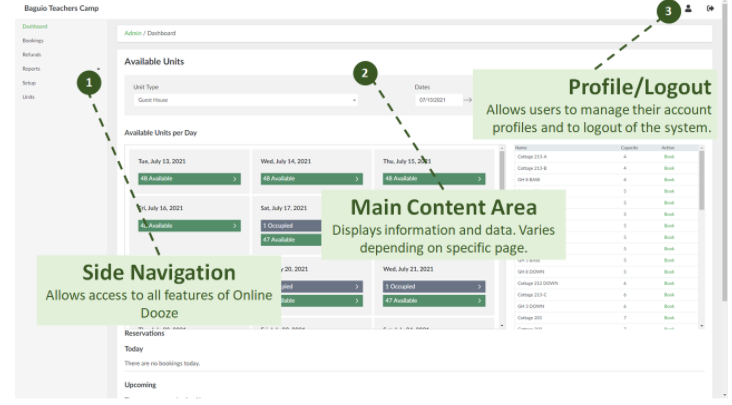
The following are the list of what can be seen in the user interface:
2. Main Content Area- Shows all the needed information and data value.
3. Profile/Logout- Lets the user control his/her account, and to close his/her account by logging out.
No Comments