
Booking Check-in and Check-out
Summary: This article provide instructions on how to check-in and check-out of your booking.
Upon initial payment, the check-in button will be available in the booking details page.
1. To check-in, click the Check-in button in the booking details page.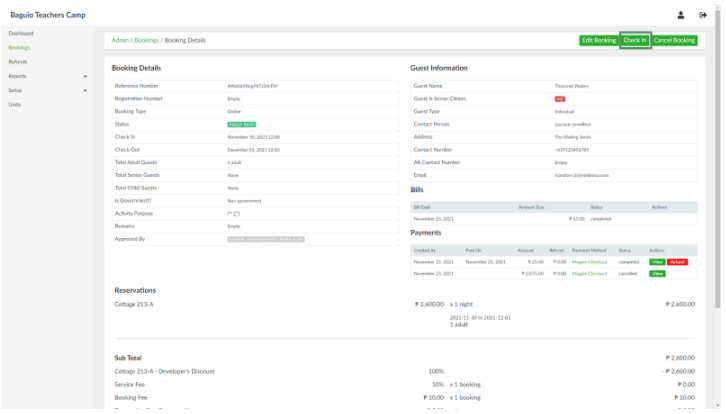
This will open the Check in page:
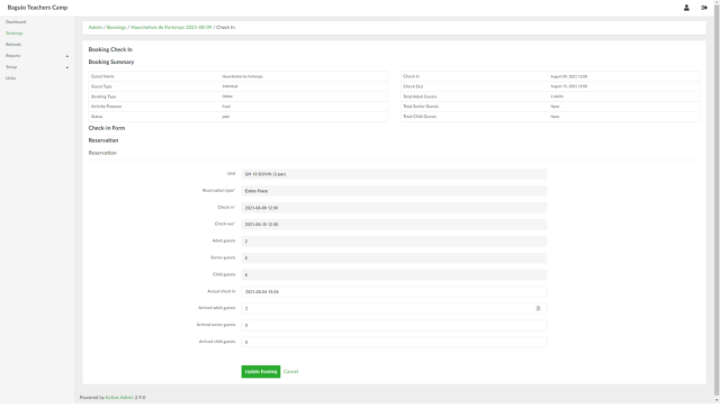
Note that check-in cannot be done prior to the declared booking check-in date.
2. Update the fields as needed. When done, click the Update Booking button. This will change the status of the booking from Paid to Checked-In. The check-in details can be updated by clicking the Edit Check-in button.
3. To check-out, click the Check-out button in the booking details page. This will open the Check-out page: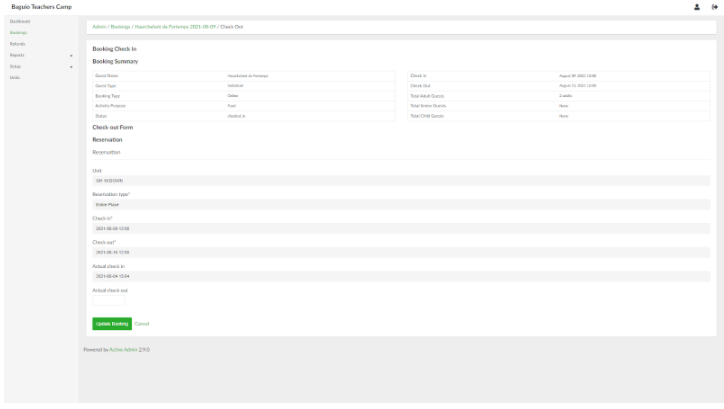
4. Provide the date of the actual check out. When done, click the Update Booking button.
No Comments