
Bill Adjustments
Summary: This article provides instructions on how to adjust the bill for bookings.
Note: If the booking modification involves addition of fees, the system will request a bill adjustment - this will be indicated in the booking information page:

To process the bill adjustment:
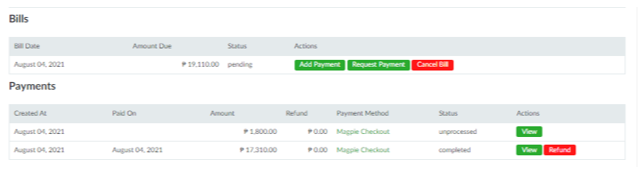
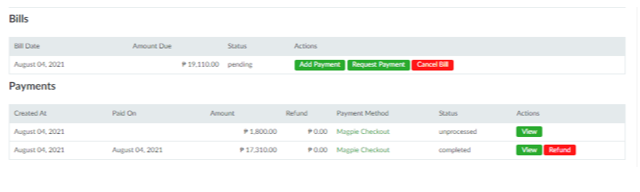
- Scroll to the bottom of the booking details page and click the Proceed with Bill Adjustment button. This will add another payment entry under the Payments section. Note that if the bill has already been settled before, a bill adjustment will bring the bill back to Pending status:
- Follow steps #6 onwards in the section Processing Online Bookings.
No Comments