
Adding Rates
Rates add specific booking information such as booking price, person per unit, duration length, start and end time (if applicable).
- In the Create Unit page (see above), click Add New Rate button. This will show additional fields shown below:
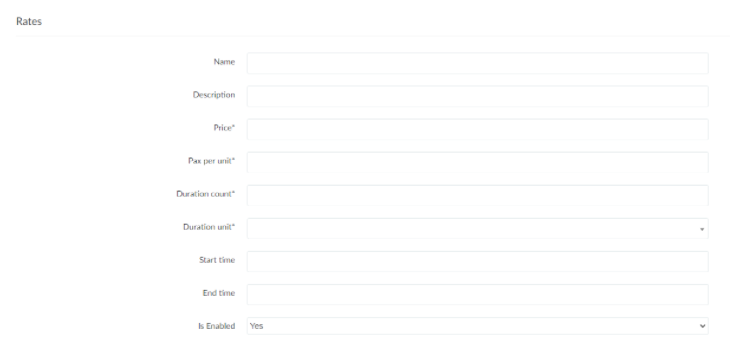
- Name and Description - if applicable, labels and describes the rate.
- Price - booking price per duration (see below)
- Pax per unit - number of people included in the booking price for the unit
- Duration count - duration length covered by the booking price
- Duration unit - duration length unit (days/nights/hours)
- Start time and End time - if applicable, rate can include start and end times (follows 24-hour format)
- Is Enabled - if set to No, the rate is not viewable by the user/client.
2. To add more rates, click the Add New Rate button.
3. To remove a rate, click the Remove button.
No Comments