
Conference Halls Page
Summary: This article provides instructions on how to book using the Conference Hall Page

Conferences Hall page allows the guests to directly search and book for conference hall unit types.
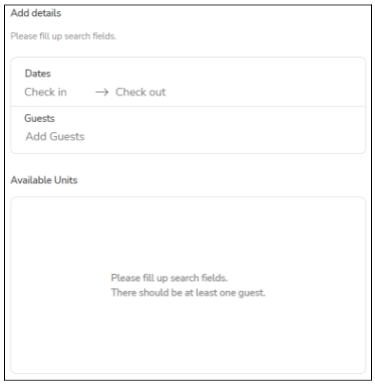
Search fields are automatically filled if the Guest used the main search bar from the home page, otherwise guests are prompted to enter their desired Conference Hall booking details.
Upon filling up the details, the available units for reservation would be displayed in a list.
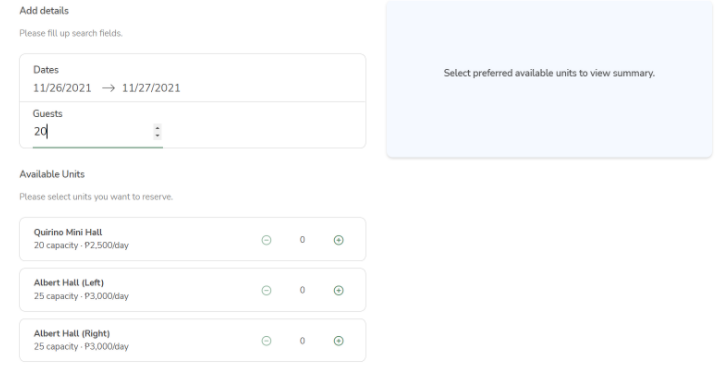
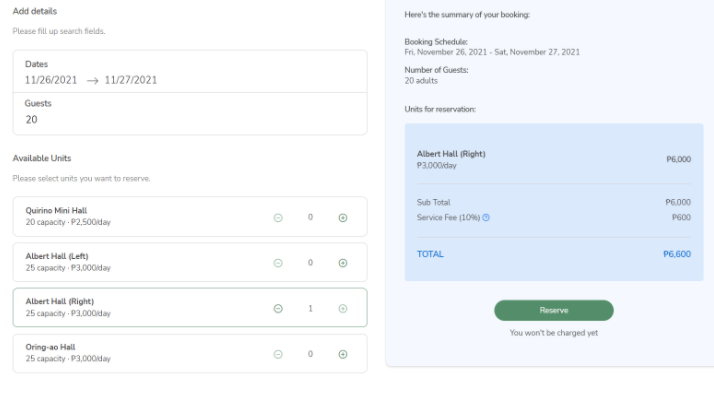
Guests can then choose which conference hall units that are available for reservation. This would display a quick summary including the calculated price. Guests can also click the minus (-) button from the list to deselect previously selected units in case they change their mind. Clicking the “Reserve” button would direct the guests to the booking details form.
No Comments