# Viewing Lists of Unit Page
**Summary: This article provides instructions on how to view listings of available units.**
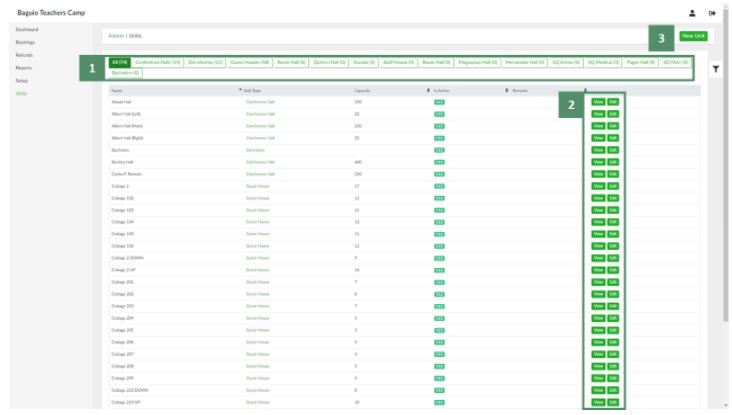
1. In the side navigation pane, click **Units**. This will open the List of Units page:
[](https://wiki.onlinedooze.com/uploads/images/gallery/2022-04/image-1649741754923.png)
In the List of Units page:
1. Filters based on unit type can be used to narrow down the list of units.
2. Each specific unit can be viewed and edited.