# Booking Phases
**Summary: This articles provides instructions on how to successfully make a booking.**
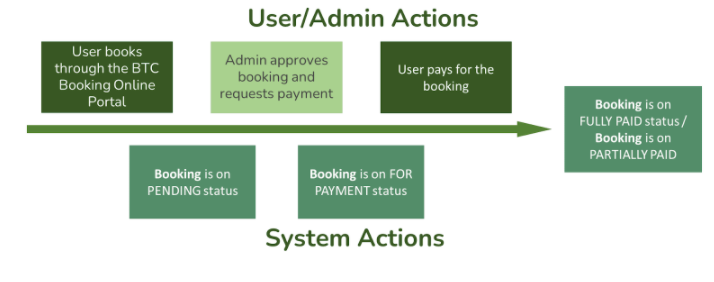
1. The process starts with the user/client booking through the BTC Booking Online Portal. The user/client provides the specifics of the booking and reserves a unit.
2. The user/client will receive an email confirmation that a booking entry has been created.
3. The booking entry appears in the system with pending status; BTC admin can view and approve the booking entry and then request payment from the user/client.
4. User/client pays for the booking (either confirmation fee or full payment.
5. Upon payment, booking status becomes FULLY PAID (if paid full) or PARTIALLY PAID.
[](https://wiki.onlinedooze.com/uploads/images/gallery/2022-04/image-1649740617188.png)